Directo al grano
Actividad 7: Update the environment variable on the pod webapp-color to use a green background. Env: APP_COLOR=green, PodName webapp-color, label name= webapp-color
Primero necesito un pod con esa env, y esa label. Y luego editarlo.
kubectl run webapp-color –env=APP_COLOR=blue -l=name=webapp-color –image nginx
Revise tanto kubectl run –help, como la pagina https://kubernetes.io/docs/tasks/inject-data-application/define-environment-variable-container/
Y genere el comando anterior
Segundo paso editar nuestra configuracion. Por lo visto el comando requerido es SET env
https://kubernetes.io/docs/reference/kubectl/generated/kubectl_set/kubectl_set_env
Por ello
kubectl set env pod/webapp-color APP_COLOR=green
—
Y esto no funciona:
kubectl set env pod/webapp-color APP_COLOR=green
error: failed to patch env update to pod template: Pod “webapp-color” is invalid: spec: Forbidden: pod updates may not change fields other than spec.containers[*].image,spec.initContainers[*].image,spec.activeDeadlineSeconds,spec.tolerations (only additions to existing tolerations),spec.terminationGracePeriodSeconds (allow it to be set to 1 if it was previously negative)
No funciona porque set env solo funciona con apps. Los Pods son inmutables. Eso significa que tampoco va a funcionar con un Apply, ni con Edit.
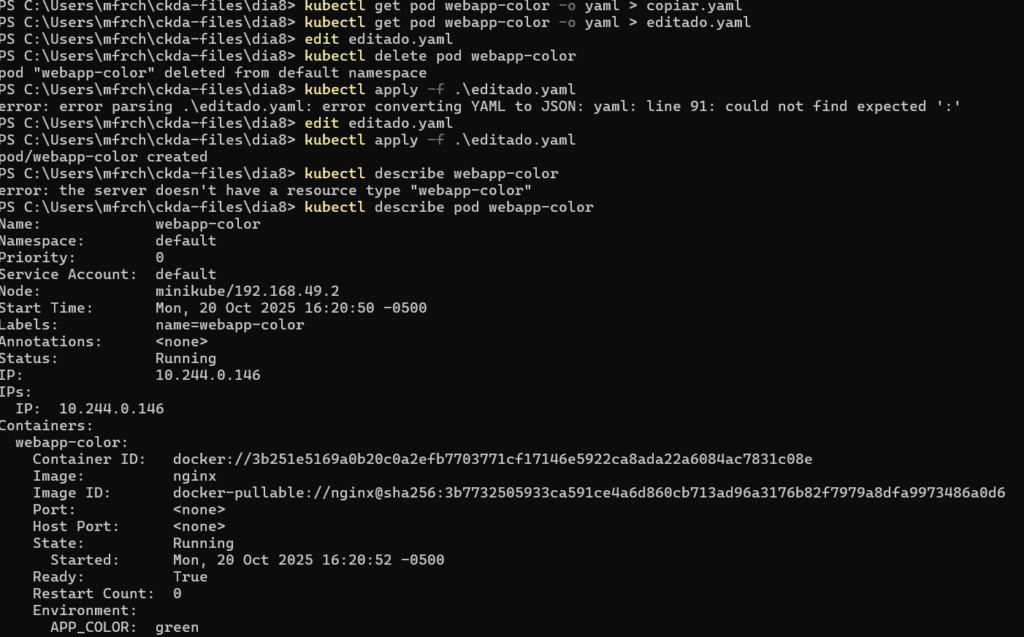
Asi que medidas drasticas. Lo copiamos, lo borramos, lo reejecutamos.
Estrategia. Copiar, Editar, Borrar, Crear
kubectl get pods webapp-color -o yaml > copia.yaml
vi copia.yaml
kubectl delete pod webapp-color
kubectl apply -f copia.yaml
kubectl describe pod webapp-color
Conclusiones
Debo recordar a futuro, que es importante la diferencia entre un pod solitario salvaje y otros componentes de aplicacion.